
How to Google Search Console annotation?
Add notes directly into the performance charts of your website to highlight site changes, campaign details, and key milestones.
Accordingly, track how Google's updates affect your ranking and cause traffic shifts for clarity of performance changes over time.
What are Annotations for Google Search Console?
Site annotations are similar to normal annotations, which are noted that can be added for specific dates in performance data. These let you track how changes on your site have affected it. Hence, it changes your analytical skills in GSC by displaying clear before-and-after visibility.
SERPView provides an edge by displaying Google Core updates alongside your custom annotations on the performance graph. Thus, you get a comprehensive analysis of what affects your performance and how!
How to Use SERPView to Track Annotations in GSC
Log in to SERPView with your Google account connected to GSC.
The dashboard opens, select the site for which you want to add an annotation.
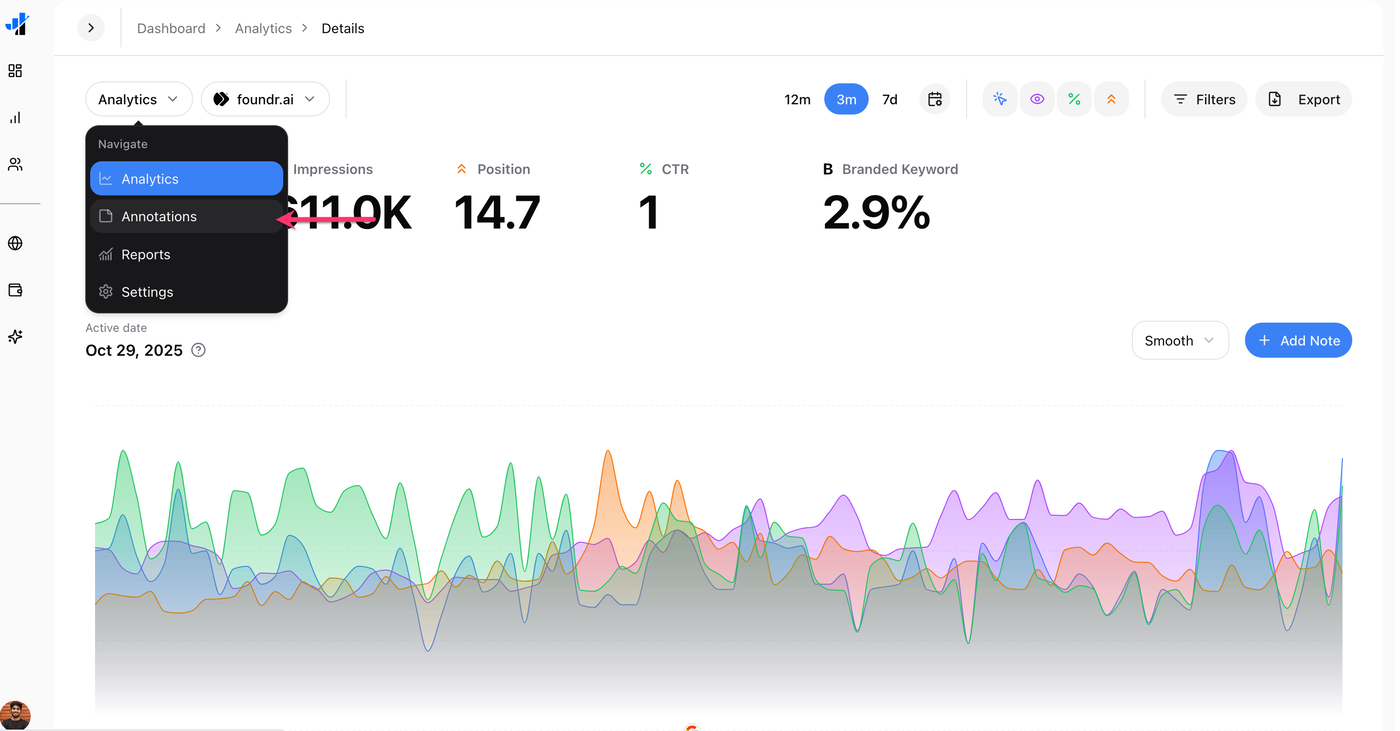
Click the Add Note button.
Add title, description, choose the date, and select the pages that are affected.
You can further hover on the date to check if there were any Google Core updates or annotations for it.
How to View Google Core Updates & Annotations on the Performance Graph?
On the Analytics page of the same site, hover over the date for which you want to check Updates and Annotations.
A note sign will be displayed, hover over to see the details and impact.
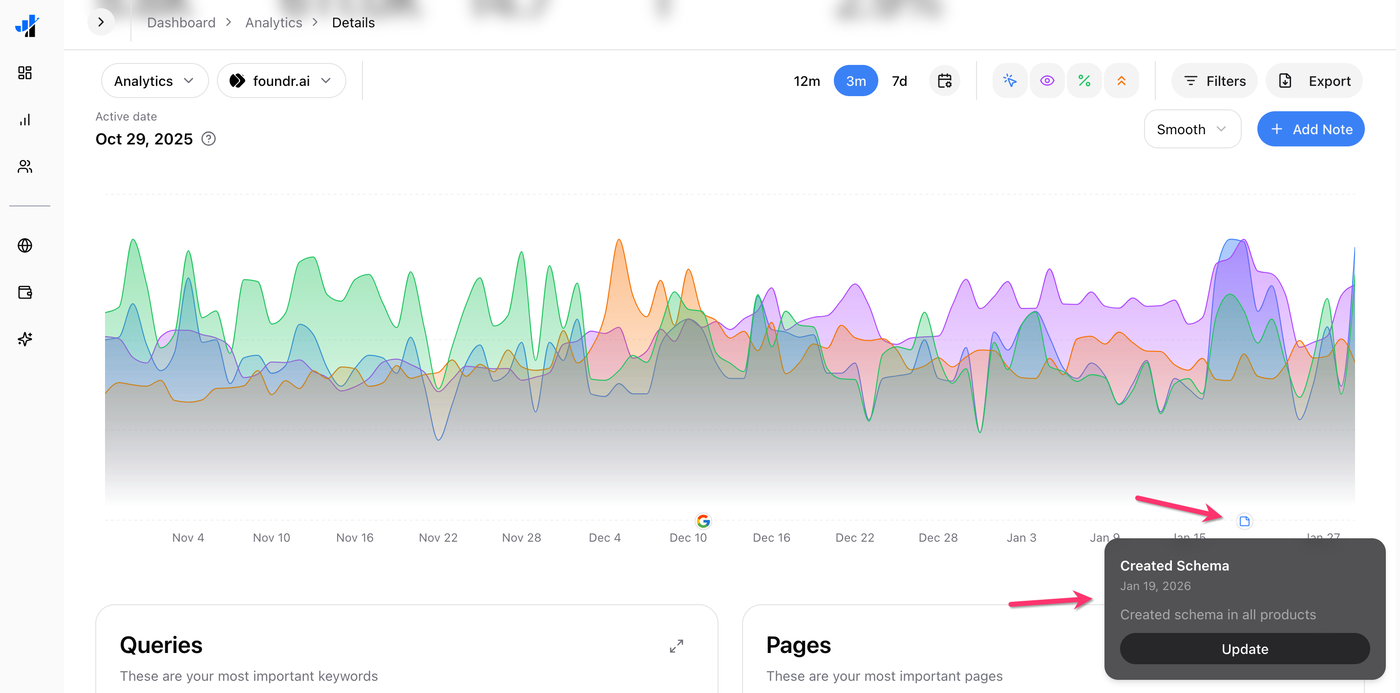
Additionally, you must use annotations wisely to effectively understand their impact. In annotations displayed on the performance graph it displays:
All annotations are organized in a clear manner.
Immediate performance highlights (red for negative and green for positive).
Edit, delete, or open details in the performance report.
For example, when you add a new category of Chromebook to your affiliate site, you can check the performance impact of it.
Hence, to get strategic insights for effective SEO on your site, you should use Annotations and Notes.