
How to Use People Also Ask Data in SERPView?
People Also Ask (PAA) data analysis lets you identify search queries linked to Google's People Also Ask results. This data makes it easy to know which topics appear in search results. Plus, you can find opportunities to improve existing content or create new opportunities.
How to Find People Also Ask Queries in SERPView?
Go to the SERPView dashboard and choose the property you want to analyze.
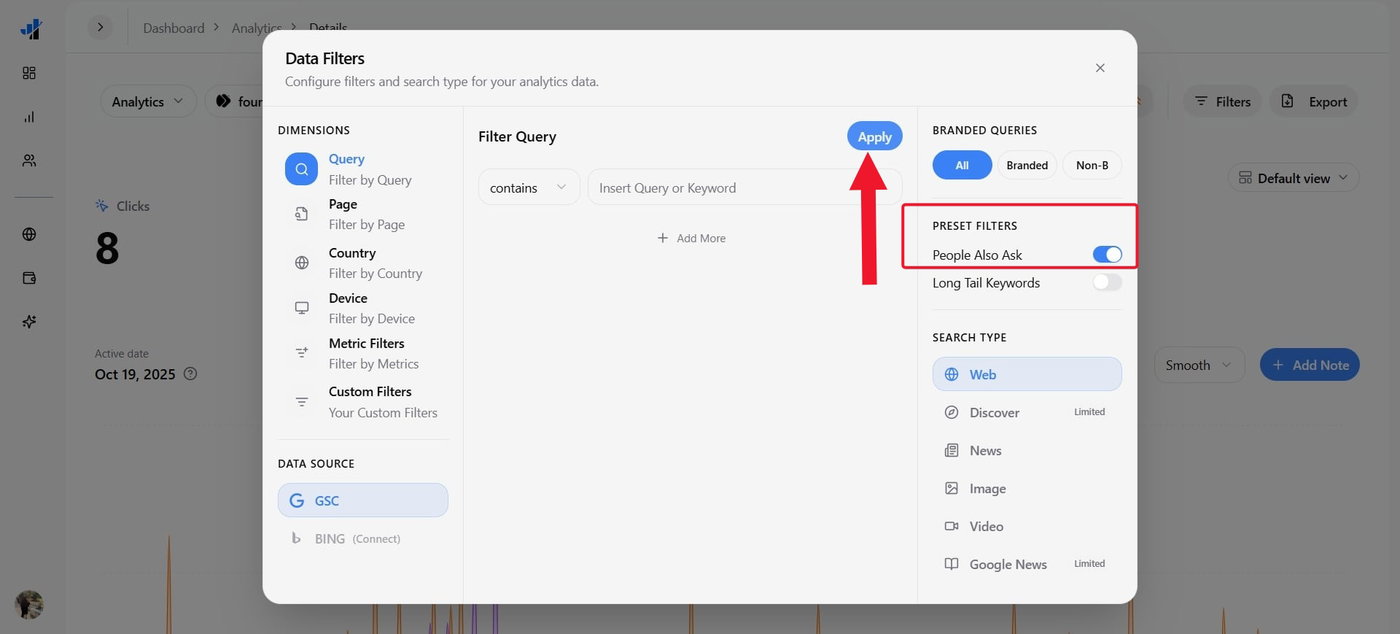
Click Filters, toggle on the People Also Ask filter, and click Apply to see the relevant search data.
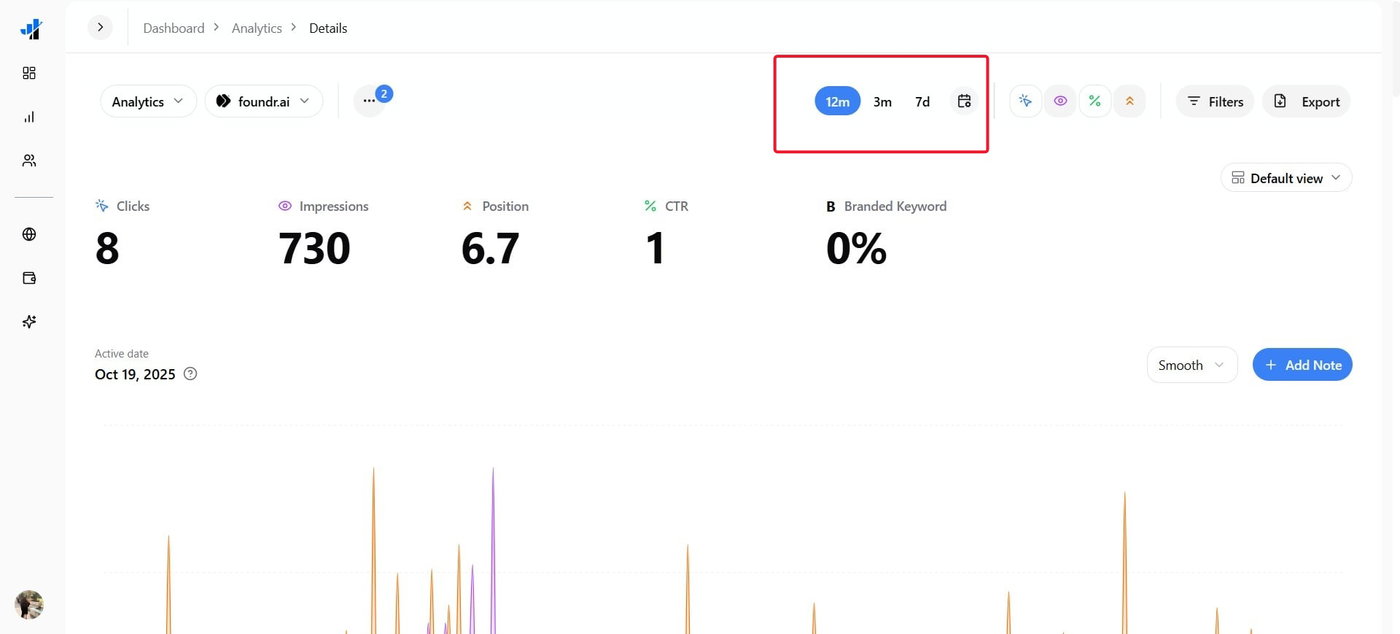
Choose a date range for the performance insights.
Next, review the results in the Queries and Pages section to see which search queries and URLs appear in the filtered data. Review clicks, impressions, CTR, and average position to analyze your website performance for the queries.
Thus, you get a realistic idea of how well the content fulfills search intent or appears in relevant places.
How to Find Content Opportunities Using PAA Data?
People Also Ask Data is one of the most underrated analysis tools that, if used correctly, can push your site towards the top of SERPs. Here's how it helps:
Find relevant queries: Review the PAA queries to identify topics, content pillars, and questions related to your website.
Analyze content gaps: Based on the results, check if your existing web pages answer their relevant questions accurately and concisely.
Find New Content Ideas: With the PAA filter, you can use the related queries to find potential blog topics, FAQs, related articles, etc.
Refine Existing Webpages: You can include useful explanations or sections on pages that already cover the topic but do not fully address the user's intent.
Improve existing pages: Add useful explanations or sections to pages that already cover the topic but do not fully address the user's intent.
Prioritize opportunities: Analyze impressions, clicks, CTR, and position to determine which queries need improvement or support from similar articles.
How to Analyze PAA Performance?
To analyze PAA performance, use the displayed metrics to understand how they improve your website's performance.
Impressions: Find queries that are receiving search visibility.
Clicks: Know the queries that are yielding organic traffic to your website.
CTR: Analyze the queries that have impressions but a lower click-through rate.
Position: Understand the queries whose ranking has scope for improvement and will increase visibility.
Conclusion
The PAA filter in SERPView enables you to find relevant search queries, identify content gaps, and find opportunities that improve organic visibility. By prioritizing queries that align with your target audience's needs, you can optimize your existing content strategy.
Try SERPView today and explore its free tools to boost your strategic content execution!