
How to White Label Google Search Console Dashboard?
Custom branding replaces the SERPView logo with your company's logo in the dashboard. As you share the dashboard with your clients, you can present your company as a white-label solution provider, and this tool is yours. So, you get greater control over the dashboard, enabling better analysis and operations for the desired project. Moreover, it also leaves a good impression about your agency’s professionalism, especially if you are in a similar service industry.
Steps to Do Custom Branding Using SERPView
On the SERPView dashboard, click your name and email at the bottom and select Account.
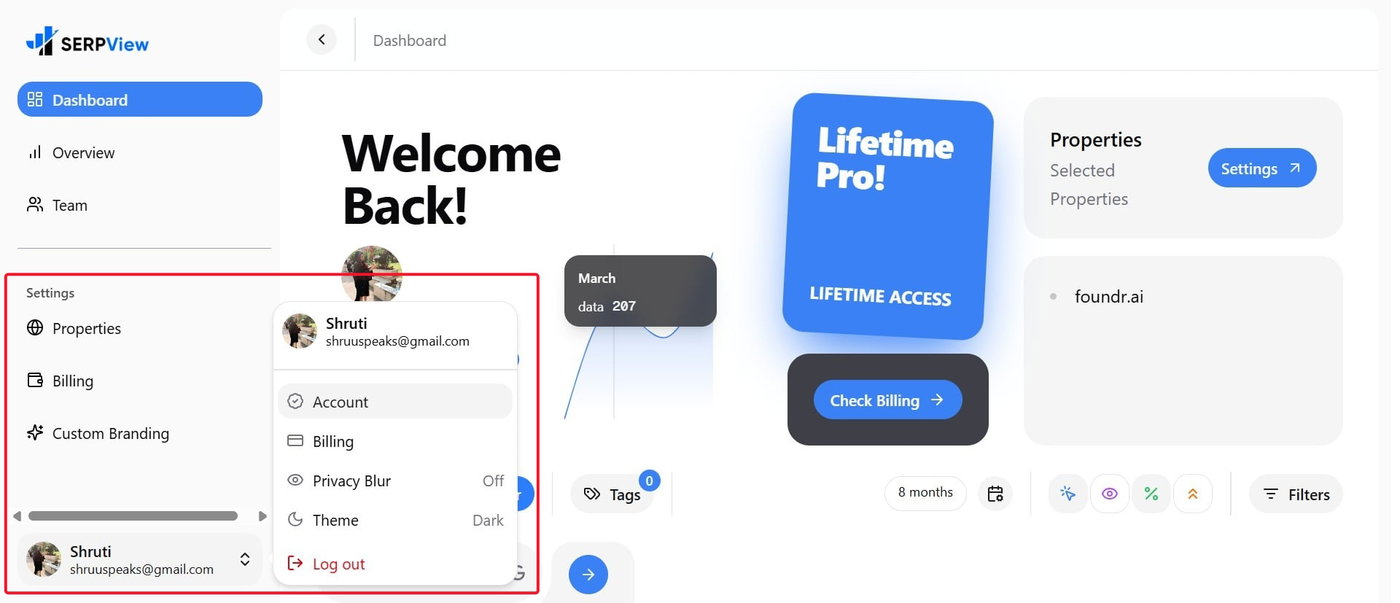
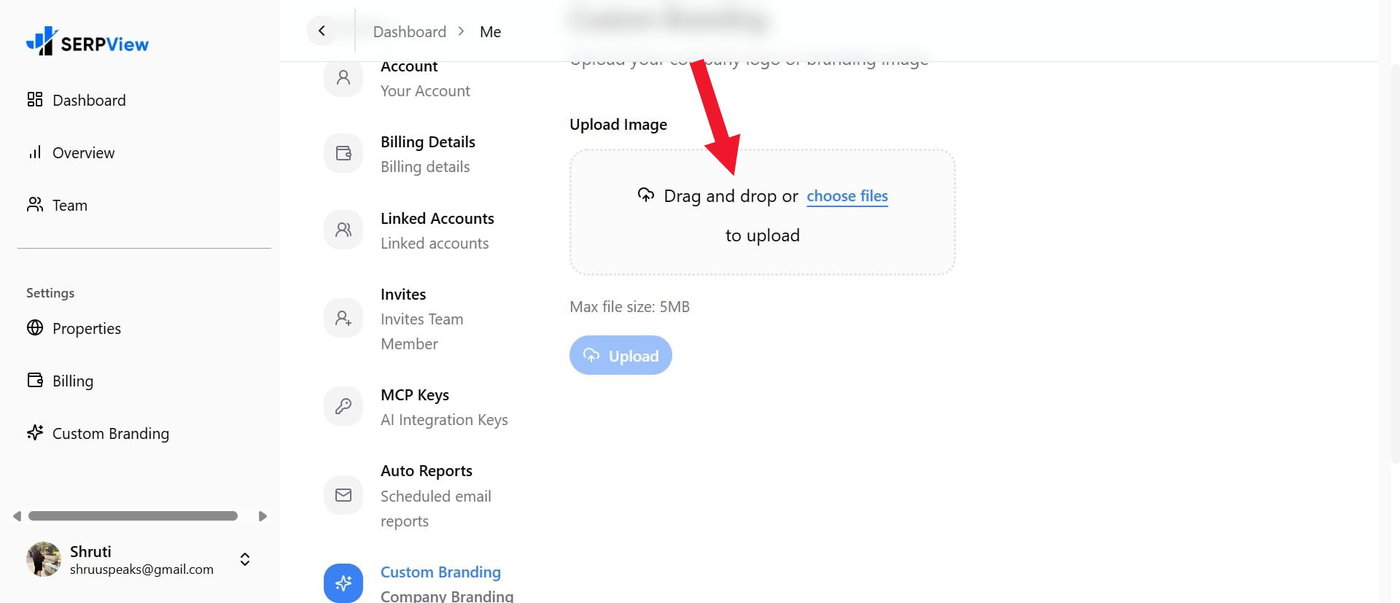
Scroll down to Custom Branding, choose files, or drag and drop an image. The file you upload should be less than 5MB.
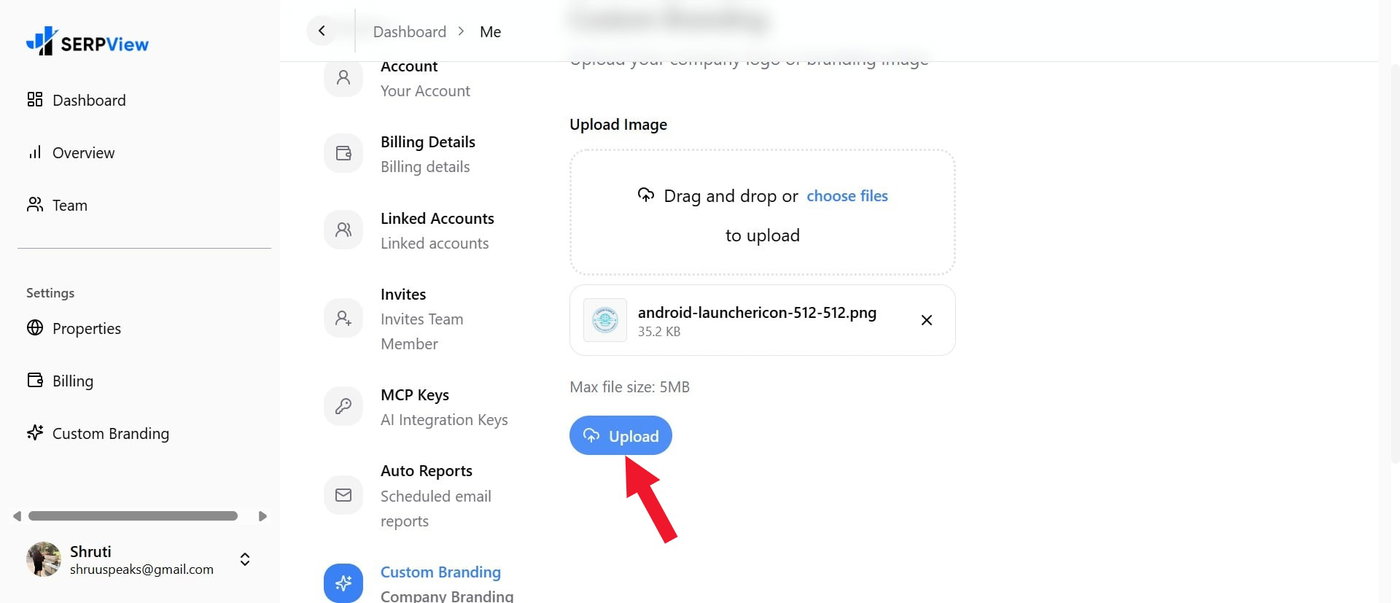
Now, click the Upload button to see the image uploaded.
Next, go to the shared dashboard of your account where you have customized it, and the logo will appear in the left pane above the Dashboard instead of SERPView.
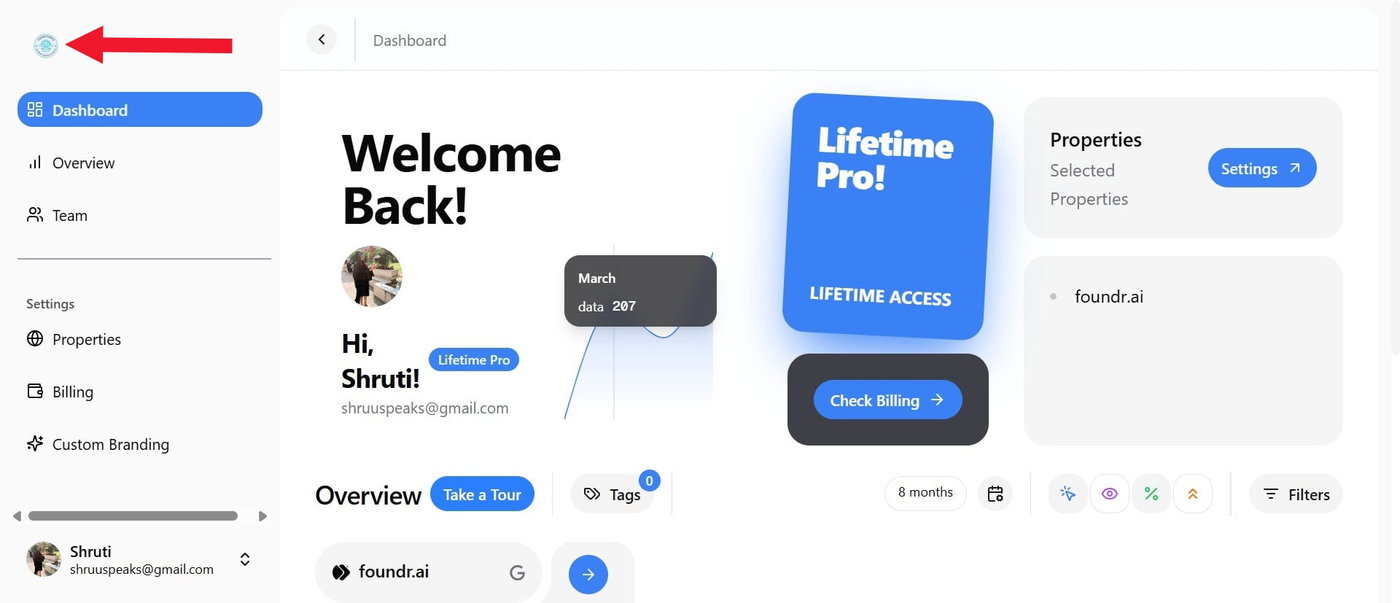
Note that here the custom branding appears smaller because we have uploaded a smaller logo; you can upload a normal logo size for better visibility. This way, other people who share the logo can see your Dashboard page as more customized and your agency as a legitimate white-label solution provider.
Ensure that the custom branding feature works only in the dashboard and that people who share the same dashboard can view it. However, when exporting data as PDFs, CSVs, or images, sharing the dashboard with the team via analytics is a wiser option for easier access and updates, because exported files do not display custom branding.
Custom branding is one of the most underrated features, but take care. For example, if you have multiple properties listed in the shared dashboard, ensure you have selected the appropriate logo for each site so you can keep things organized and avoid confusion.
Do you want to supercharge your analysis skills for effective content strategy? If yes, do try SERPView for its AI integration with Claude or similar agents.