
How To Set Up Google Search Console MCP?
To set up Google Search Console MCP without any code, go to SERPView and sign in with the free plan. Go to Settings > MCP keys and select MCP Connector. Paste the script in your AI agent’s custom connector without any coding knowledge or script-editing. The feature lets you communicate with AI clients and data from SERPView’s plugin for analyzing trends, content ideas, and more.
How to Set Up Google Search Console MCP?
Set Up MCP Using an OAuth Connector
Most AI clients, like ChatGPT and Claude, support MCP Connectors and OAuth; still, check it once.
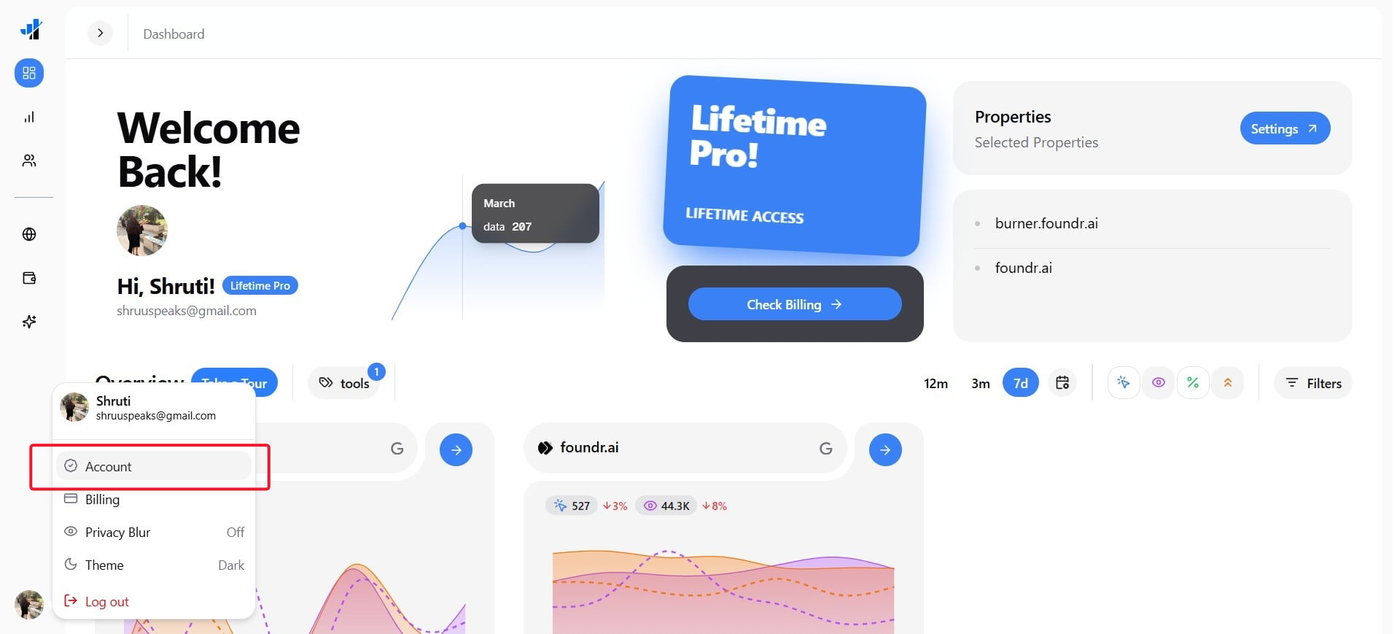
On SERPView.com, click the profile icon at the bottom-left, and select Account from the list.
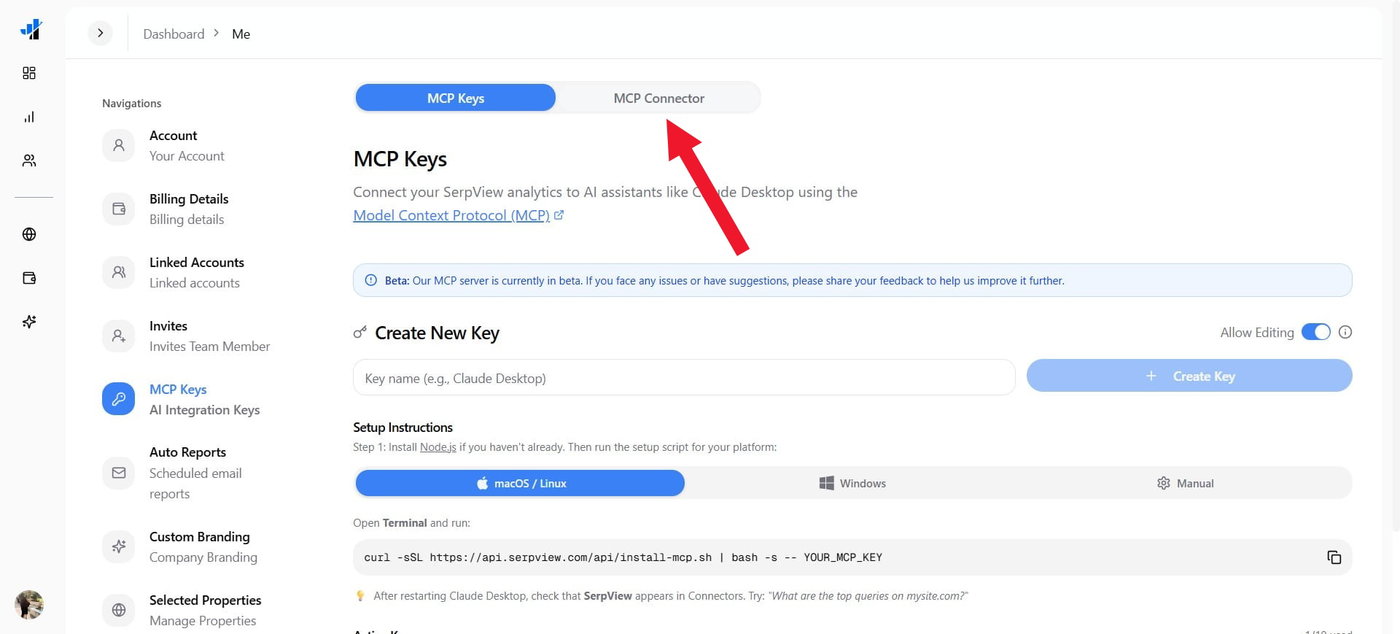
Go to MCP Keys and switch to the MCP Connector tab.
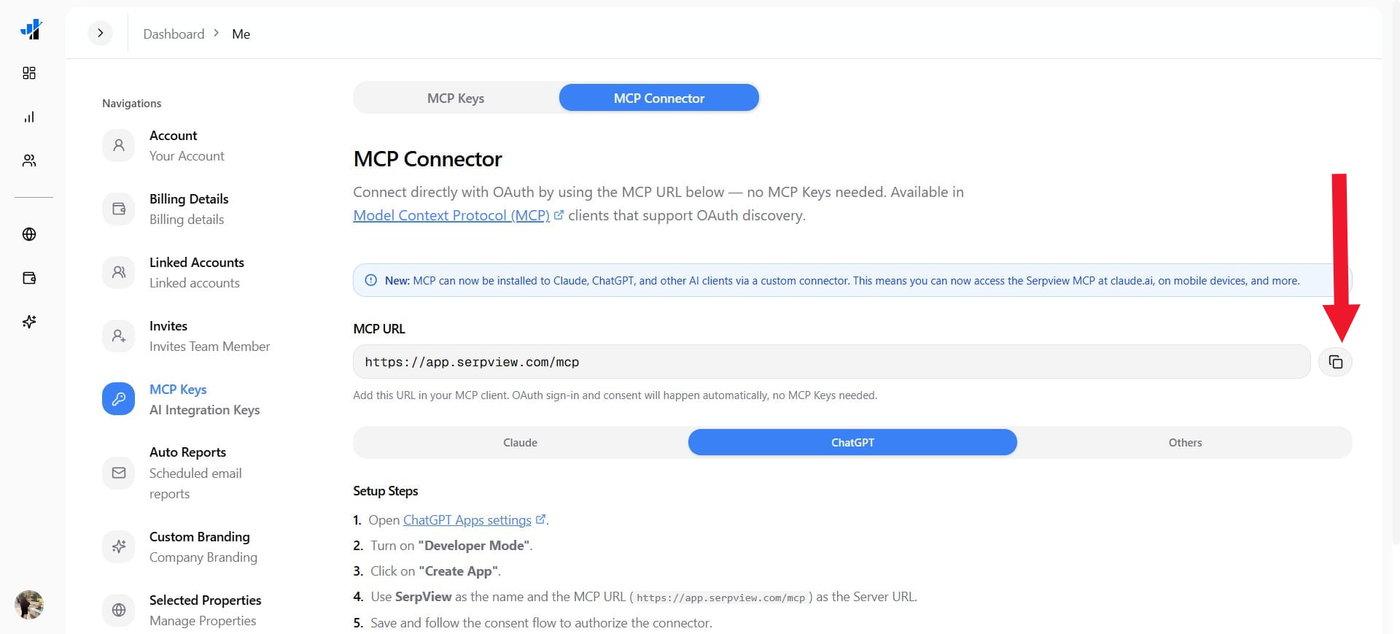
Copy the MCP URL onto the clipboard.
Open ChatGPT or visit ChatGPT.com and ensure Developer Mode is enabled.
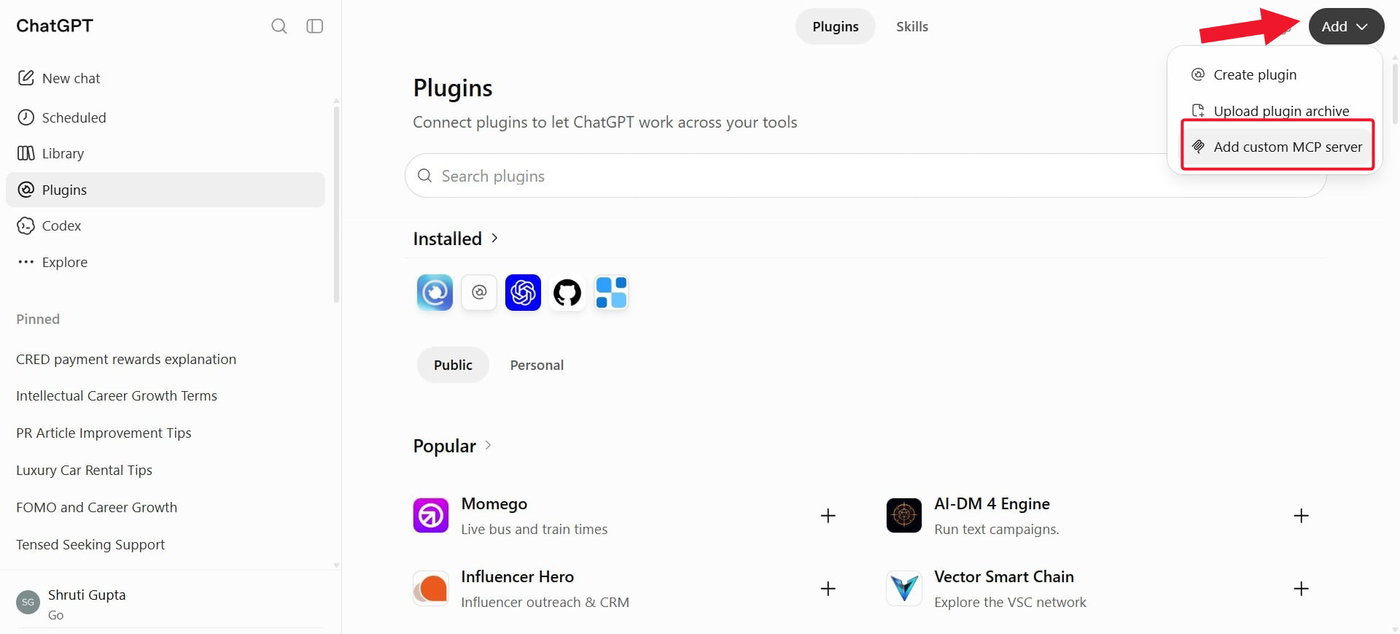
Click the plugin-shaped icon from the top-left.
Click Add and choose Create MCP App or Add custom MCP Server based on whether it’s a desktop app or a browser window.
Name the custom tool as SERPView, add an optional description, and paste the MCP URL into the Server URL text box.
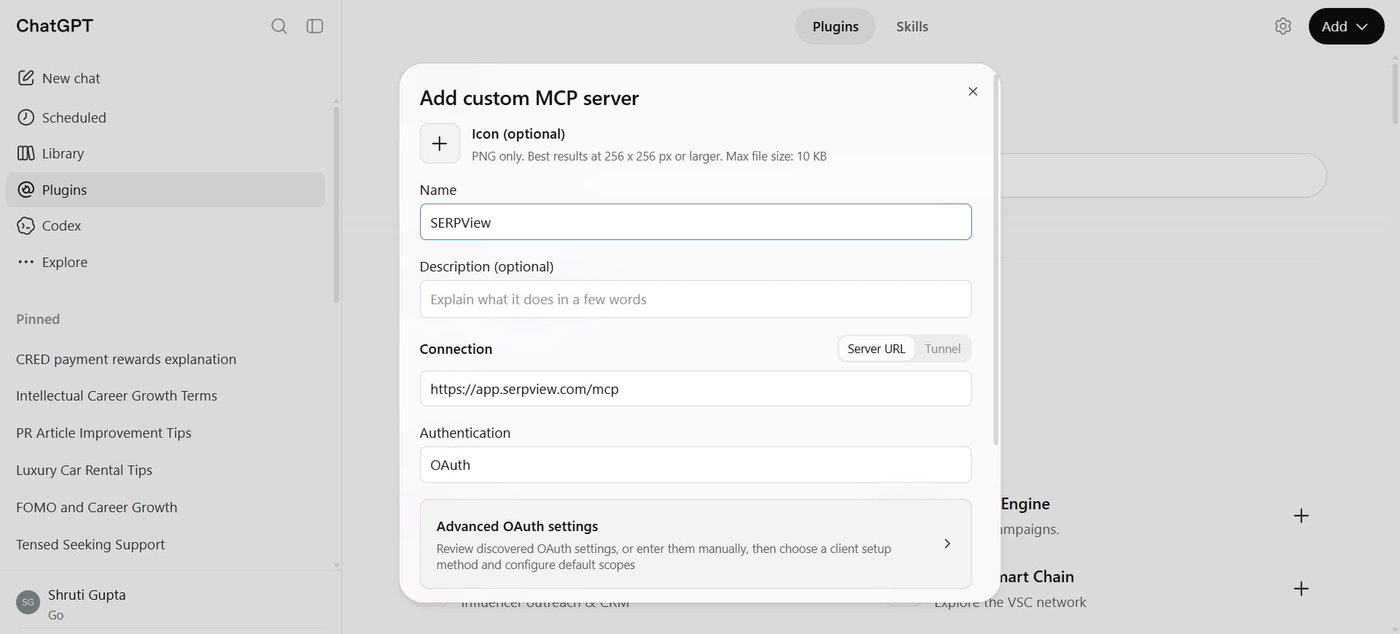
Check the box next to “I understand and want to continue,” then click Create
Click Continue to SERPView when asked.
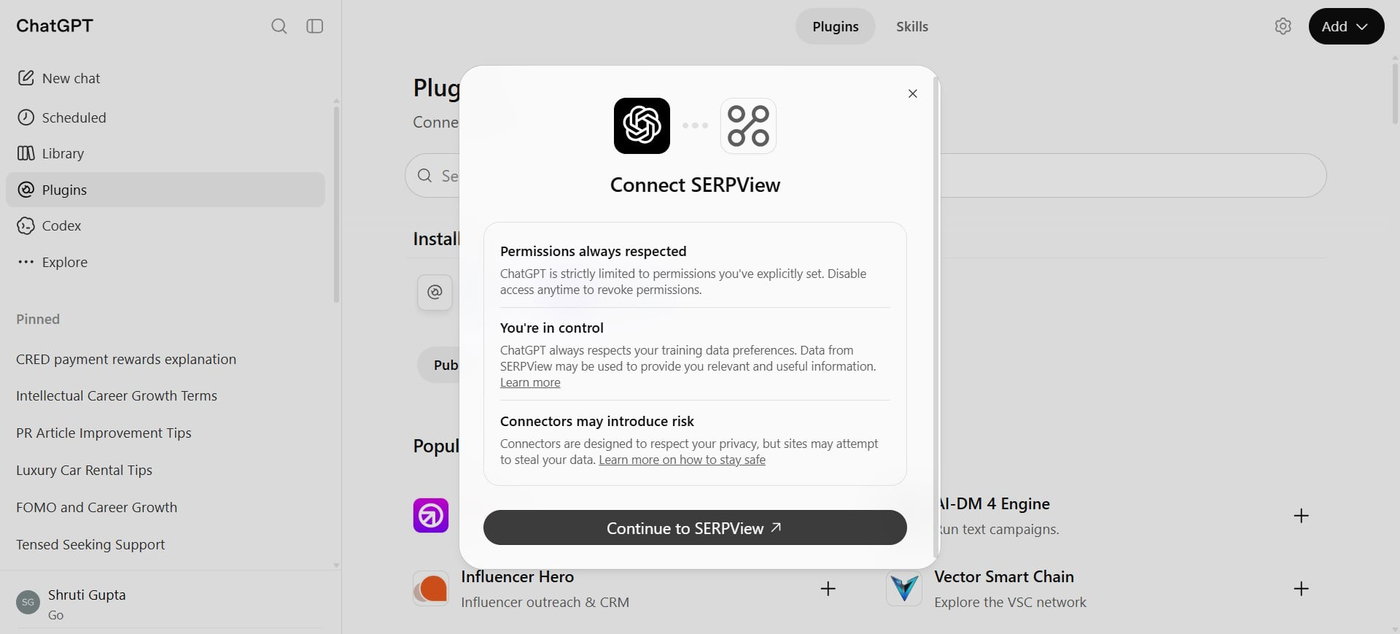
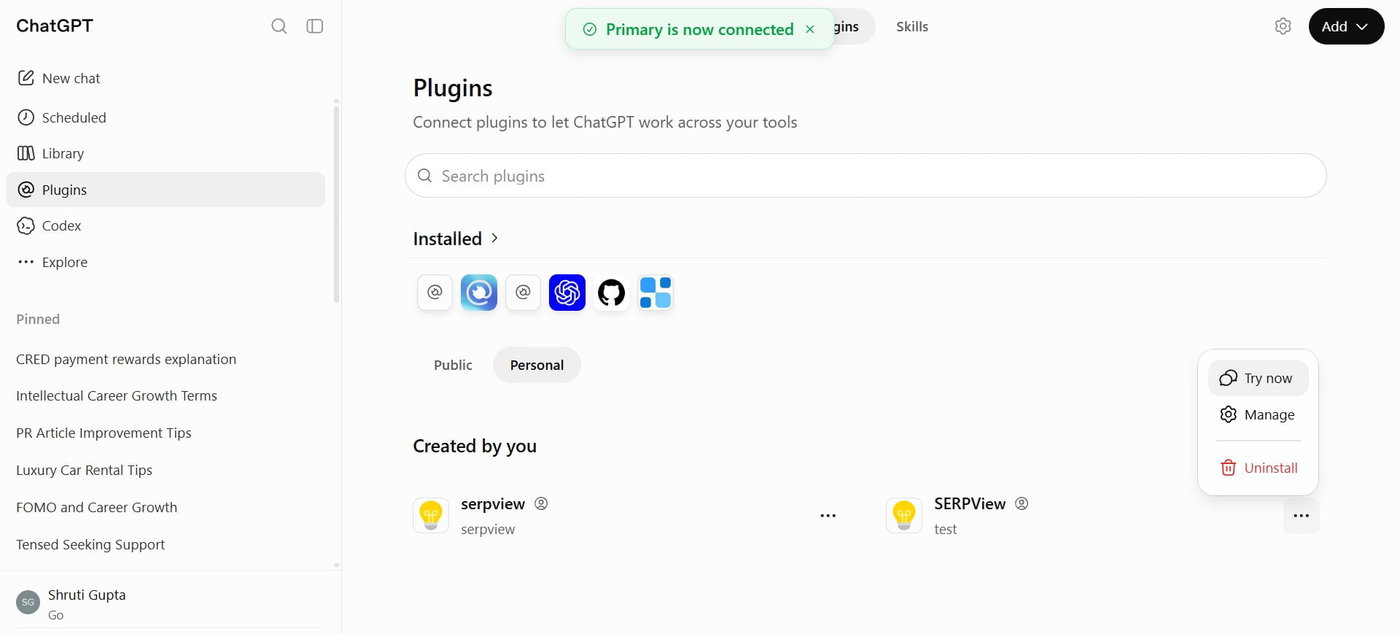
Wait for a while, the Primary is now connected message will appear
Click the Personal tab in plugins, then click the plus icon next to SERPView to install it if you use a Desktop app; otherwise, proceed to the next step.
Click the three-dotted icon next to SERPView MCP, select Try Now.
The app will open in a new chat and then ask questions about your properties linked to SERPView, but ensure you use the site URL.
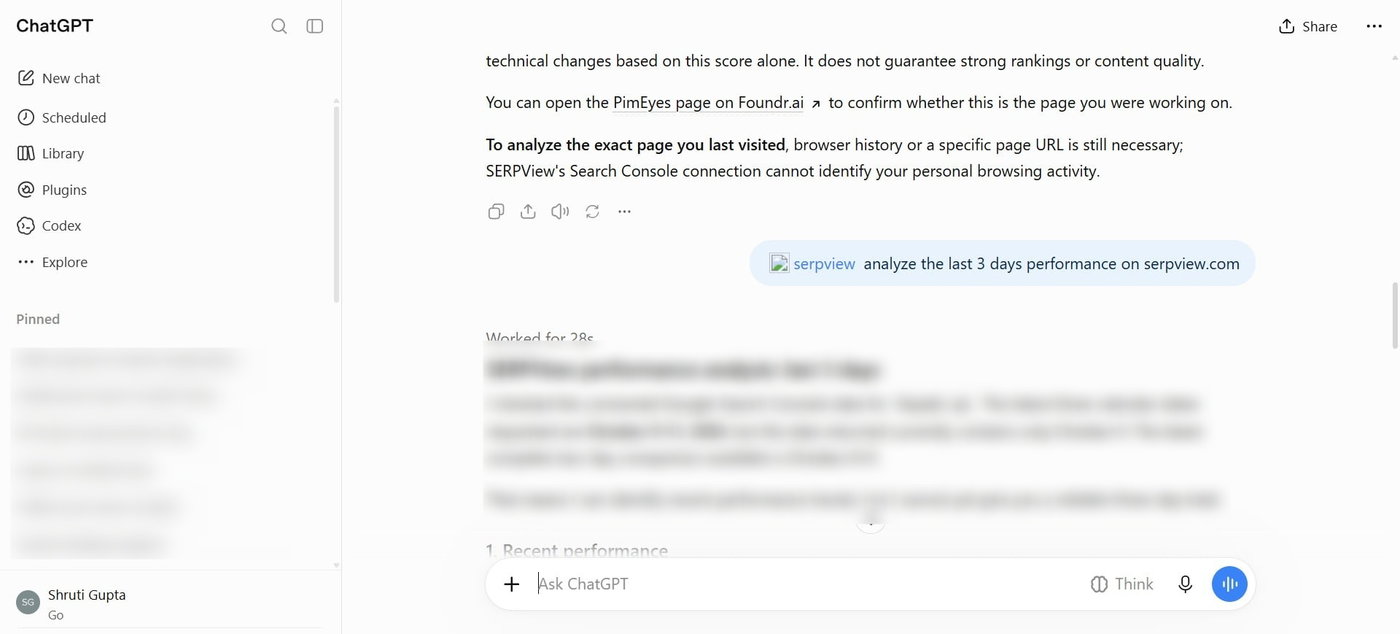
Ensure that, while selecting the MCP, you open the respective tab for that AI client and the copy script. Next, you can test the connection in the chat as needed for your different websites connected to SERPView. The steps also differ slightly based on whether it’s a browser window for an AI client or a desktop app, but the steps will be easily recognizable.
Troubleshooting
Added MCP, But Cannot See It In Chats
If you have added MCP, then ensure you have installed it as well. Locate the part in the AI client where you added it and click Install or +. If already added, restart the AI client or End Task from Task Manager, then open.
How to open the SERPView plugin in ChatGPT in a new chat?
Create a new chat or go to the existing one and enter the ‘@’ symbol and choose SerpView from the options. You can then type your query alongside.
Missing Property Access In SERPView
If you see any missing property access in the SERPView plugin, go to SERPView.com and ensure the email ID matches the one used by the sites in GSC. Next, ensure you have selected the Property in the dashboard results.