
How to Use Chat SEO for Deeper GSC Analysis
Analyzing GSC data involves reviewing multiple metrics, including clicks, impressions, CTR, and average position. Though these help you understand website performance, identifying trends and content opportunities can take time.
SERPView AI Copilot eases this process by enabling you to analyze your Google Search Console data through AI. You can ask questions about your website performance, analyze traffic changes, identify opportunities, and get SEO recommendations without manually reviewing every report.
What Is an AI SEO Copilot?
An AI SEO Copilot is an AI-powered assistant that helps you understand and analyze SEO performance data. Instead of checking reports manually or uploading them to AI, you can ask questions and get insights based on your website's GSC data.
SERPView AI Copilot connects AI capabilities with GSC data to help you learn search performance, identify trends, and make informed SEO decisions.
How to Set Up AI Copilot in SERPView?
To set up AI Copilot in SERPView:
Go to https://serpview.com/features/ai-copilot and click Try Copilot for free.
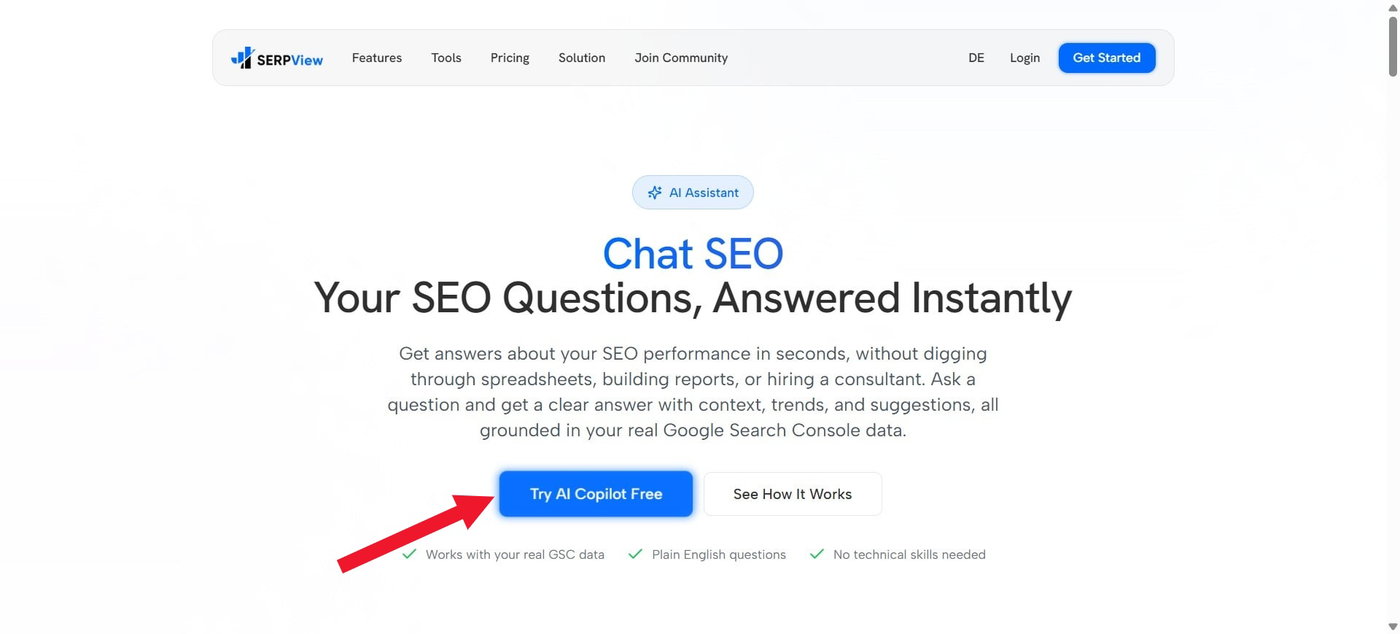
Sign up, and if you are signed up, open the property dashboard.
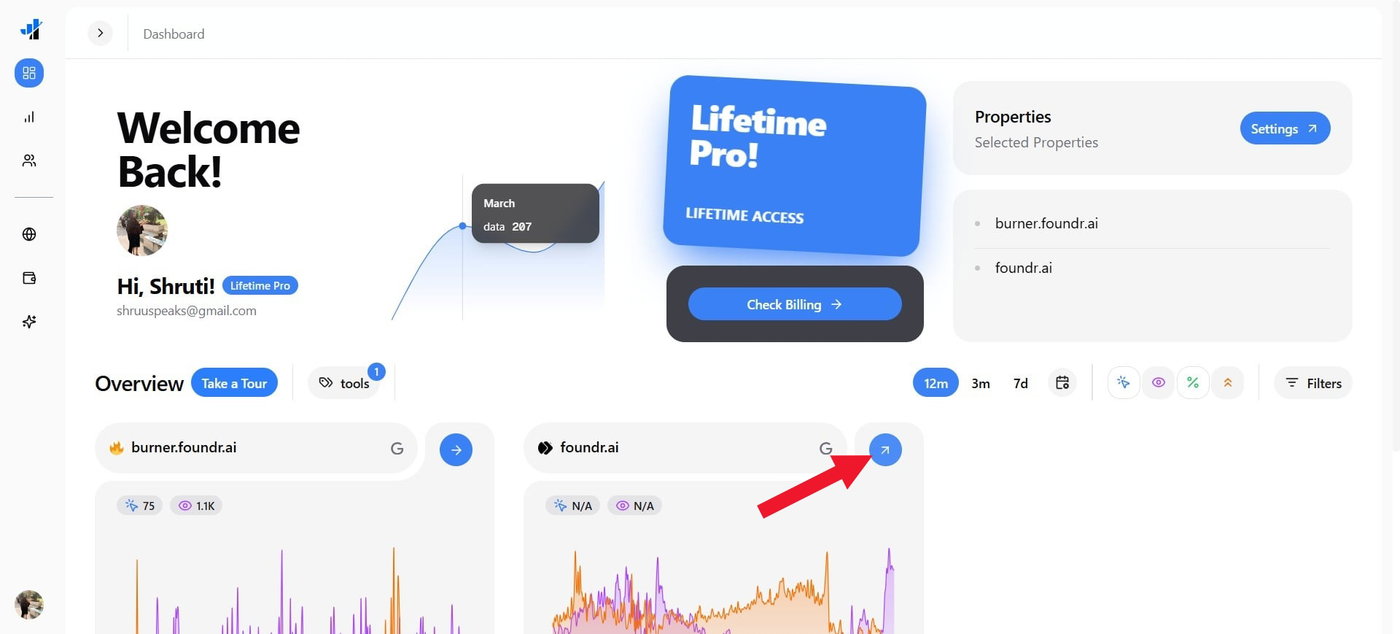
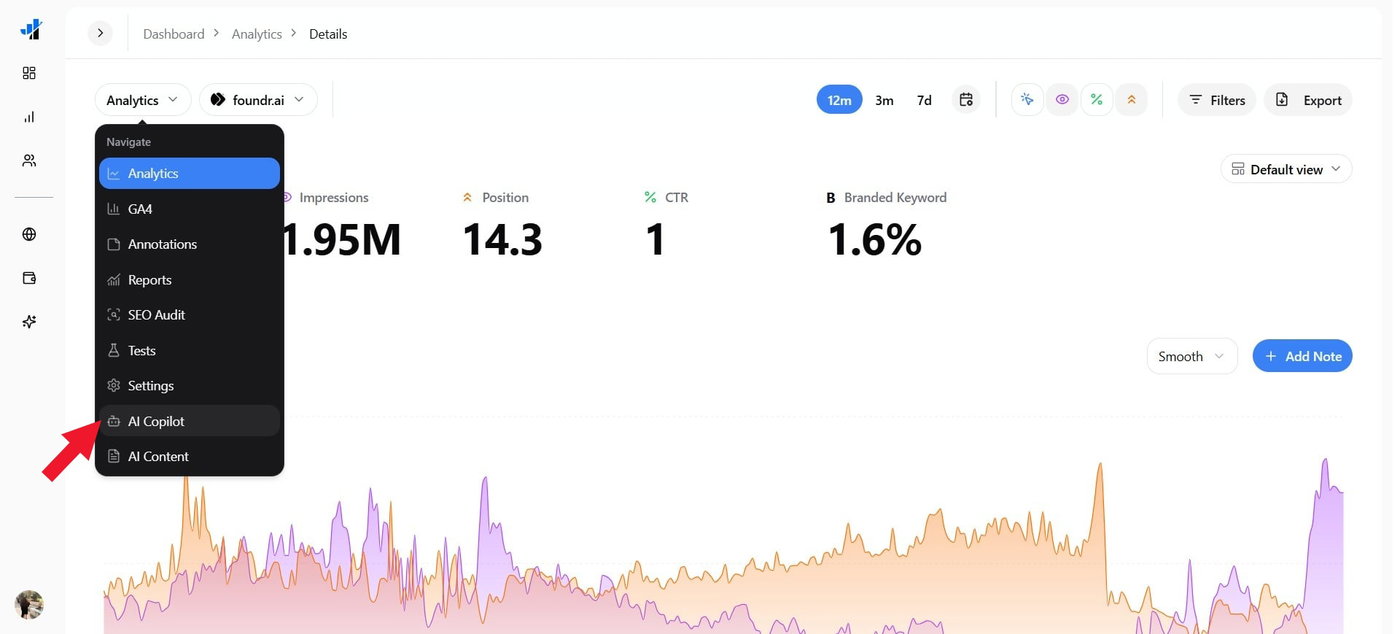
Click the Analytics menu at the top left and select AI Copilot.
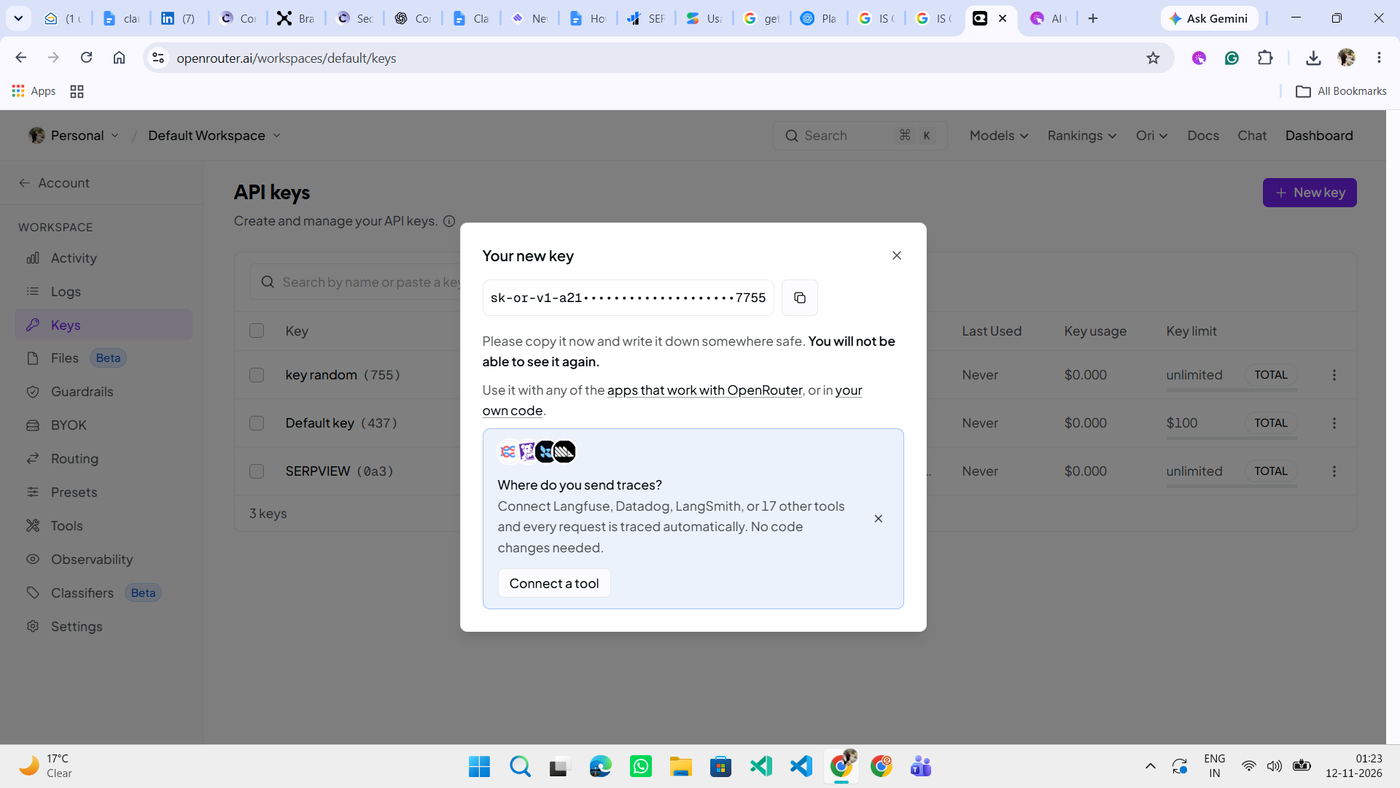
Navigate to a supported AI API key provider, such as Claude, Gemini, OpenRouter, or ChatGPT, and fetch an API key.
Here, I have fetched a Gemini key from openrouter.ai > Keys > New Key > Create > Copy.
Click Add API Key, enter it in the respective section, and save.
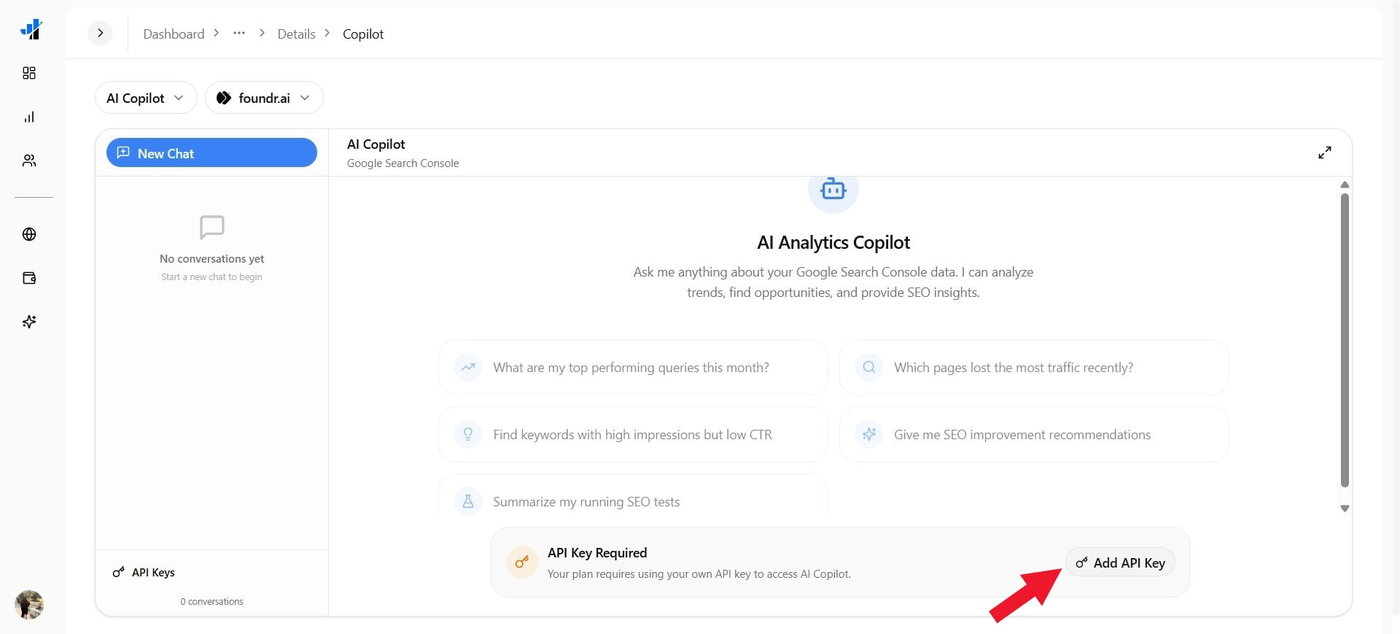
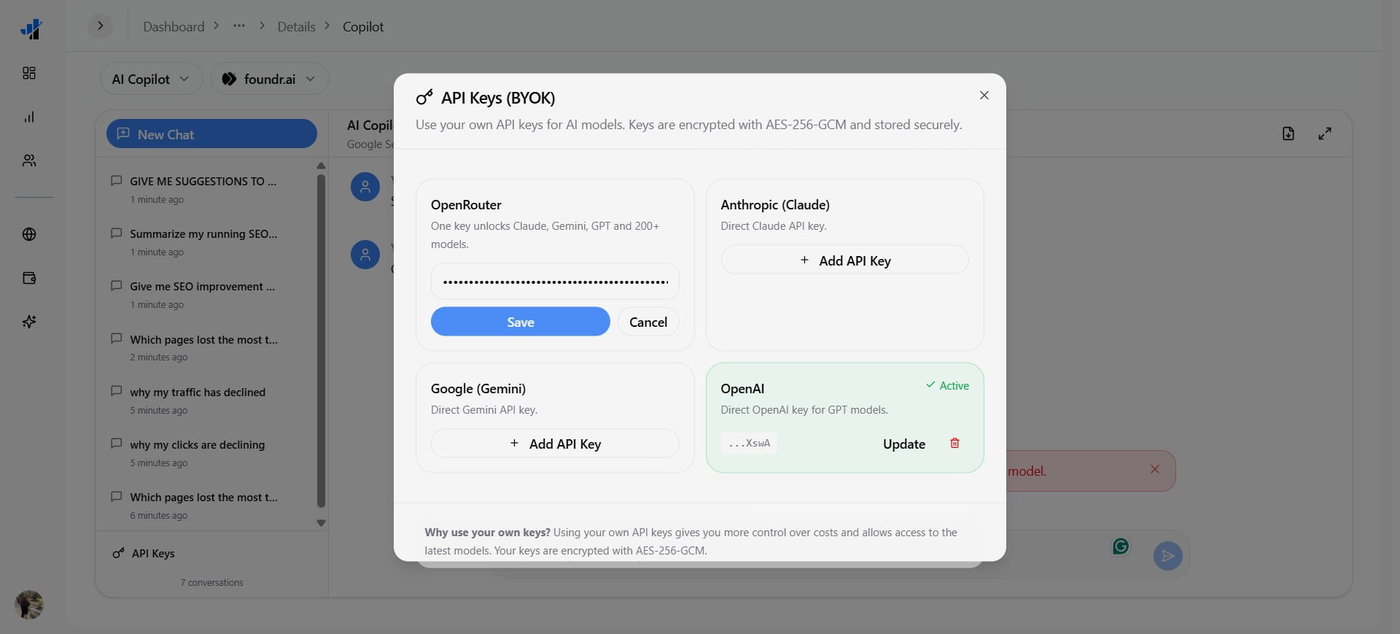
Bingo! You can now ask AI Copilot questions about your site, like analysis, content opportunities, related trends, etc.
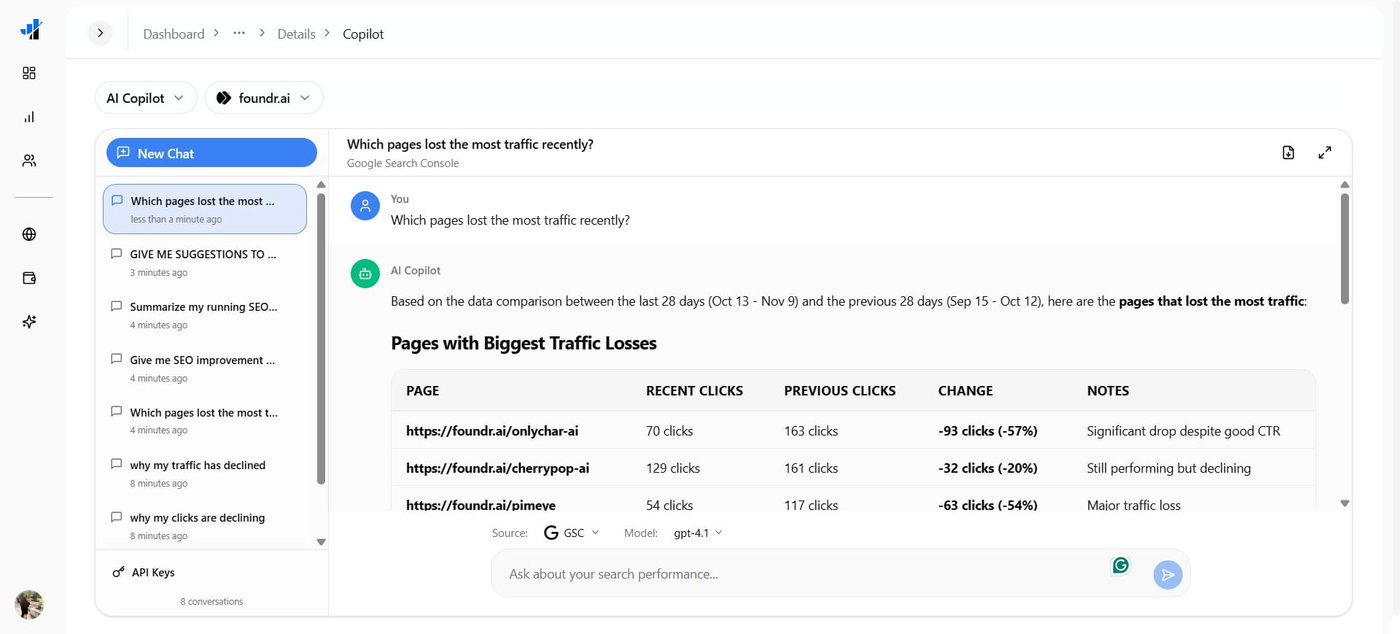
Note: AI Copilot supports your own API key plans, where API usage is billed separately by your AI provider and is not part of SERPView.
How to Analyze Google Search Console Data Using AI Copilot?
After setting up AI Copilot on SERPView, you can ask questions about your website's search performance. Some of them include:
Analyze website traffic queries: You can ask questions to AI Copilot like “Why have my website clicks dropped this month?” and “Identify changes in organic traffic.”
Find top-performing search queries: Enter questions like “What are my top-performing queries this month?” to identify search phrases that are generating clicks and impressions.
Identify SEO opportunities: Ask SERPView Copilot questions like “Which queries have higher impressions but low CTR and find areas that need further assessment.
Analyze page performance: You can ask SERPView things like “Which pages have lost the most traffic recently” to find URLs that experience a decline in clicks.
Get SEO recommendations: Ask AI Copilot for suggestions to improve your website's search performance based on available GSC data.
Similarly, you can follow up on those questions to analyze specific queries, pages, or performance changes in greater detail.
How to Get Better SEO Insights From AI Copilot?
To get more relevant insights from AI Copilot, ensure the following:
Ask specific questions: Instead of requesting a general SEO analysis, ask about a particular metric, page, or performance issue.
Mention the date range: Always specify whether you want to analyze it for the last 7 days, 28 days, or another specific period.
Focus on one objective at a time: Analyze traffic changes, query performance, or page visibility separately to get more focused responses.
Ask follow-up questions: If a particular insight highlights a performance change, then ask additional questions to find the affected pages or queries.
Additionally, ensure you choose your preferred AI and API model for effective results.
Conclusion
SERPView AI Copilot makes it easy to analyze Google Search Console data, as you can assess website performance through simple chat-like conversations. Use it to find content opportunities, identify declining search queries, track traffic trends, and gain more actionable insights from your search performance data.